We’ve created a few sample pages that you can use to get started.



To delete one of the sample pages, open the ··· menu and select Delete.
We’ve created a few sample pages that you can use to get started.
To delete one of the sample pages, open the ··· menu and select Delete.
Shared with your team. Learn about space permissions and restrictions.
Think of your personal space as a folder of storing all the documents that don’t currently belong anywhere else. It’s all yours. Customize this page by clicking the edit button  on top.
На данный момент нет недавних обновлений.
Click to edit this page. To delete, open the ··· menu and select Delete.
 Relevant data Background Options considered
|
Option 1 |
Option 2 |
|
|---|---|---|
|
Description |
||
|
Pros and cons |
|
|
|
Estimated cost |
LARGE |
MEDIUM |
Action items Outcome
Click to edit this page. To delete, open the ··· menu and select Delete.
Objective Success metrics|
Goal |
Metric |
|---|---|
Assumptions Milestones Requirements
|
Requirement |
User Story |
Importance |
Jira Issue |
Notes |
|---|---|---|---|---|
|
HIGH |
||||
|
|
|
|
|
|
User interaction and design Open Questions
|
Question |
Answer |
Date Answered |
|---|---|---|
 Out of Scope
Click to edit this page. To delete, open the ··· menu and select Delete.
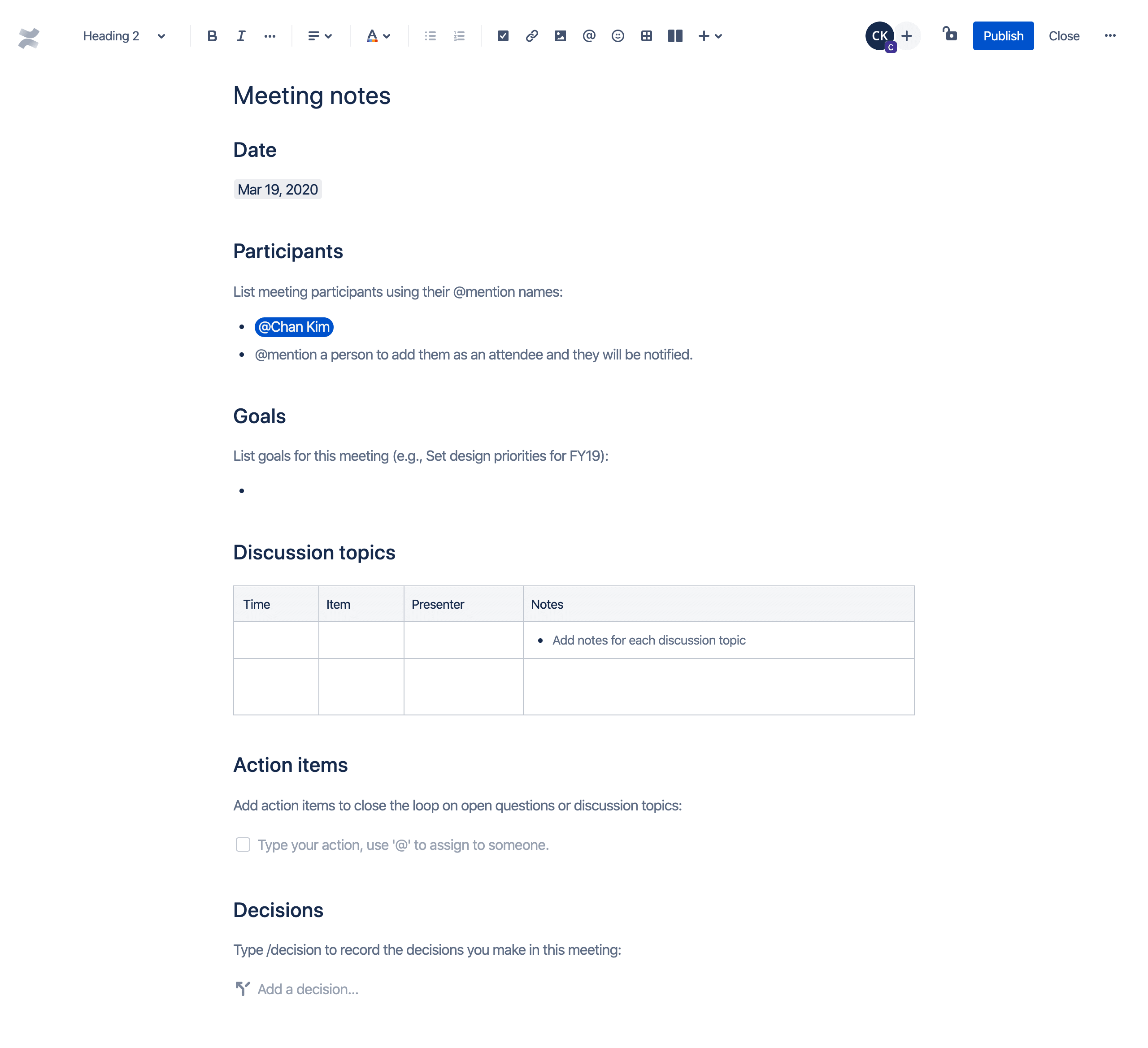
 Date Participants
List meeting participants using their @ mention names
@ mention a person to add them as an attendee and they will be notified.
GoalsList goals for this meeting (e.g., Set design priorities for FY19)
Discussion topics|
Time |
Item |
Presenter |
Notes |
|---|---|---|---|
|
|||
Action itemsAdd action items to close the loop on open questions or discussion topics:
DecisionsType /decision to record the decisions you make in this meeting:

